Display
Perfect exam screens in seconds
Professional exam displays with clocks, countdowns and automatically calculated extra time.
Included in every ExamDisplay plan.
Display at a glance
English narration · Subtitles always on
Built to be seen from the back of the exam hall
Everything your candidates need to see
One display with accurate information, easy to read in any size exam hall.
Accurate timings
Duration, countdown and finish time for every paper.
Extra time included
Extra time is calculated automatically.
Works offline
The display keeps running even through a network interruption.
Exam room display
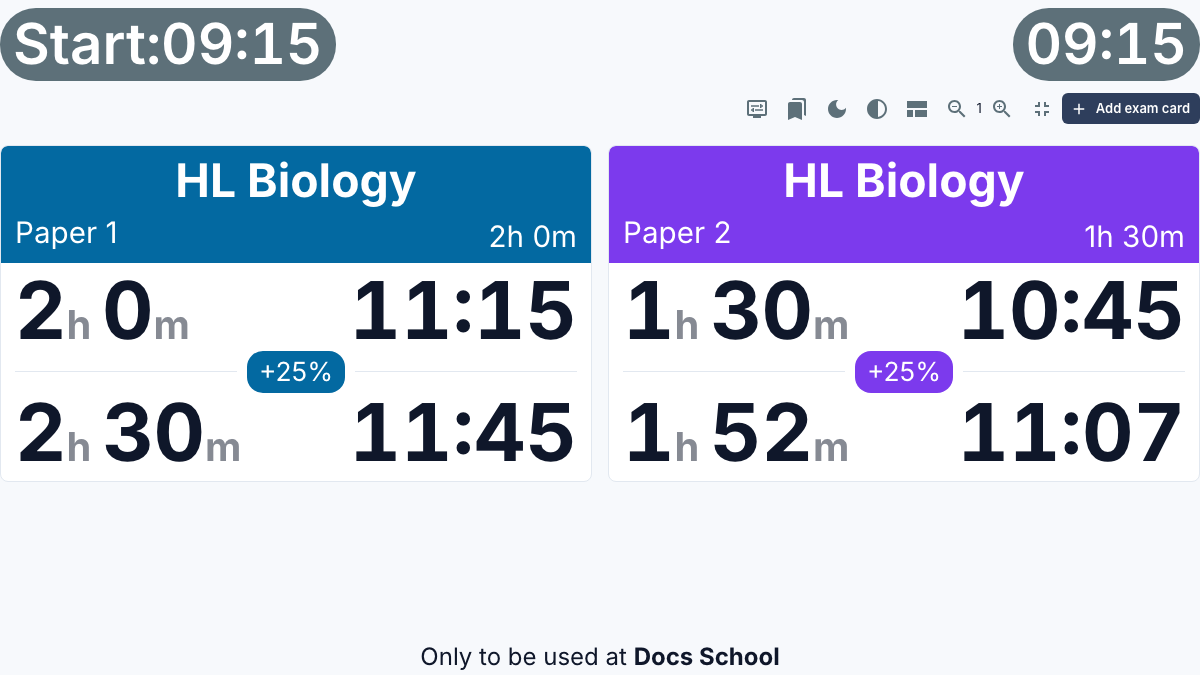
Everything calculated for you
Choose the papers. Display does the rest.
Search the catalog, add the papers and set a start time. Display works everything out automatically, so there is nothing left to calculate on the day of the exams.
Select 10%, 25% or 50% for students with extra time, or set any allowance you choose
Staggered starts, reading time and several papers in one room
Live countdowns, finish times and reminders at 30 and 5 minutes
Personalize your display: choose colors, edit paper names, and zoom in or out on any of the data
Adding exam papers
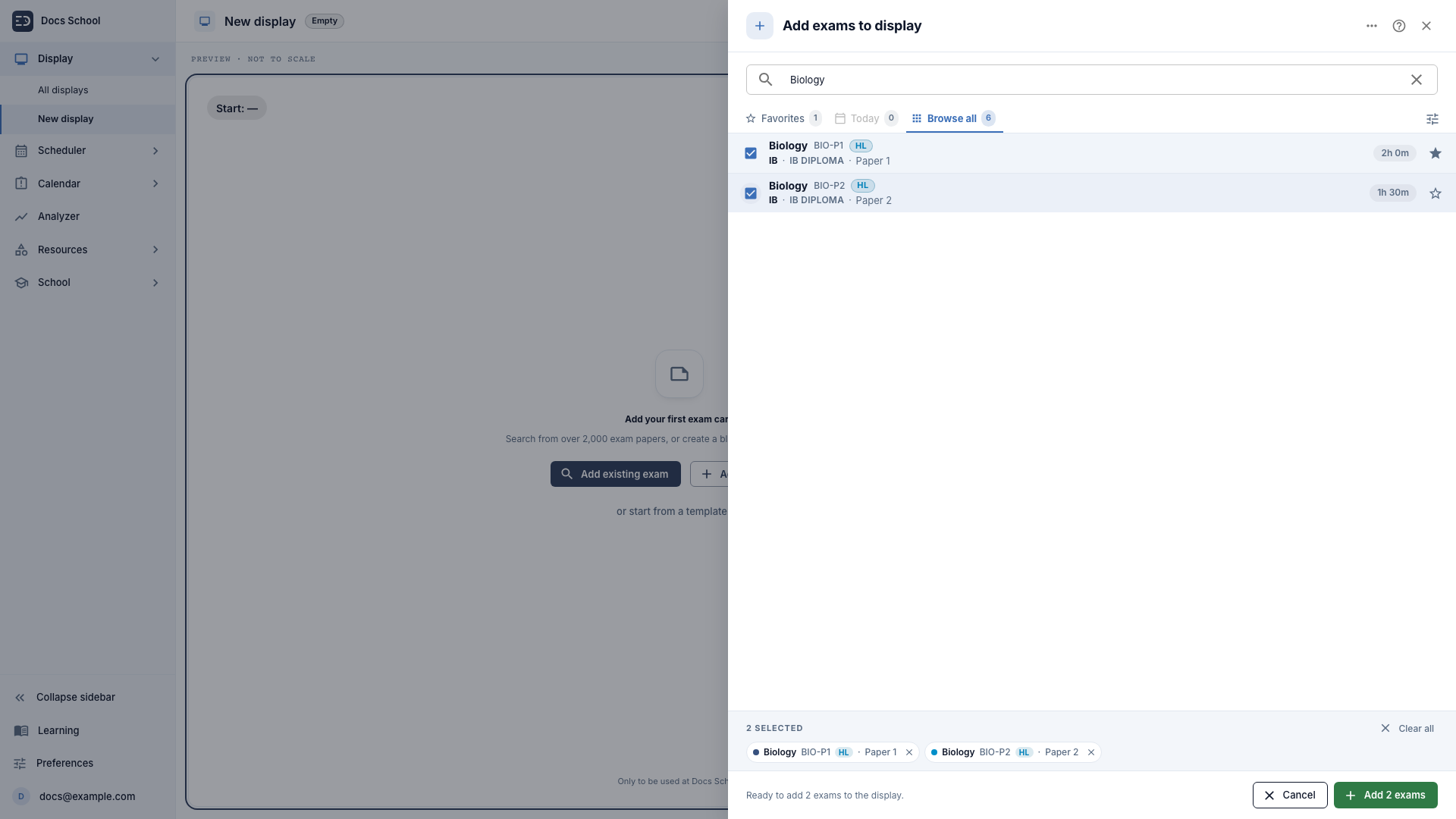
Your exam library, ready to go
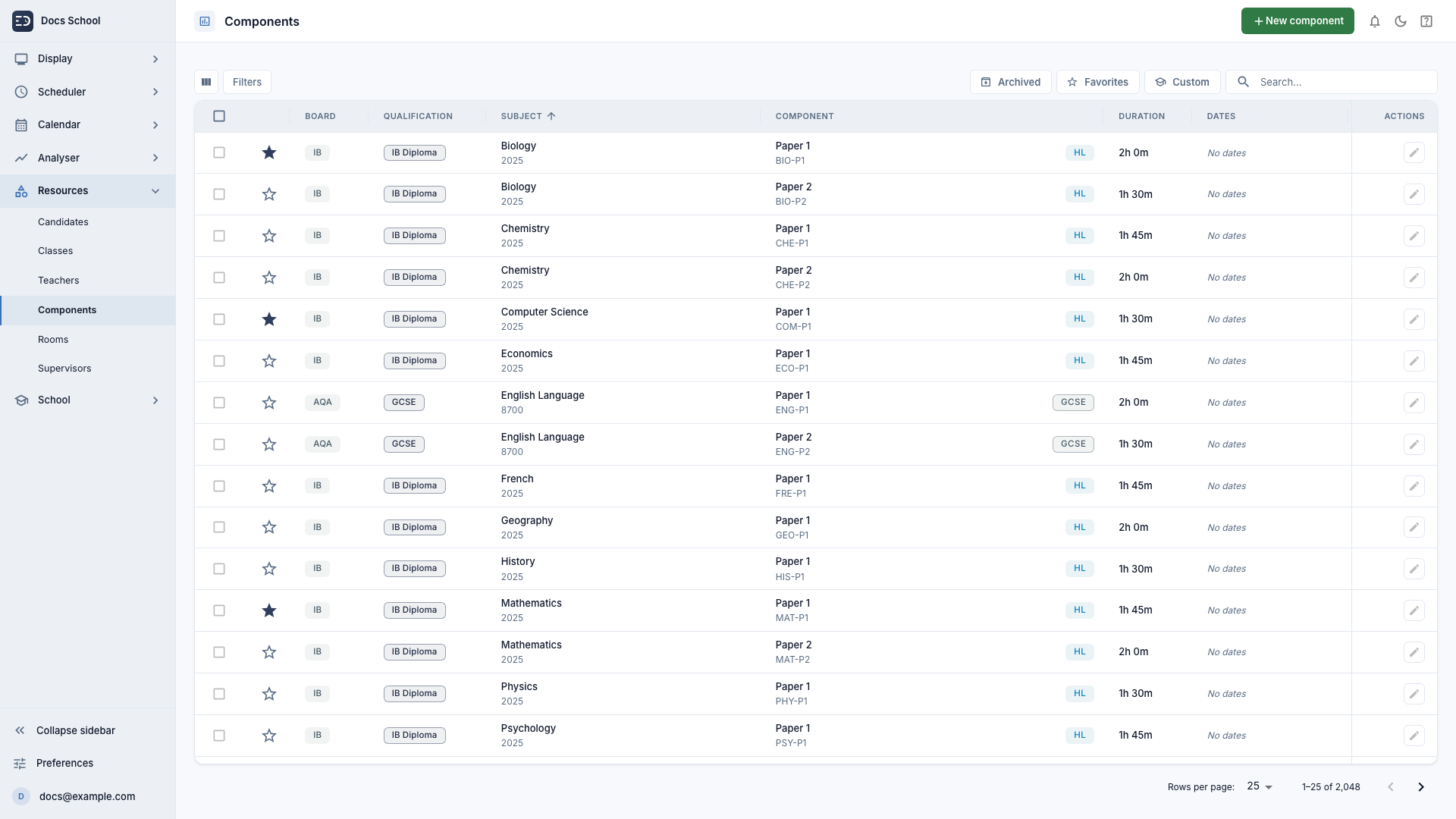
2,000+ exam papers already loaded
Favorite the papers you use most
Add your own exam boards, qualifications, subjects and papers
Edit paper names and durations to personalize for your internal exams
Components catalog
ExamDisplay is an independent product and is not affiliated with, endorsed by, or connected to any exam board or awarding body.
Flexible and reliable
Works on the hardware you already own
Run Display on any modern browser. Adjust the display for the exam hall, the screen and the lighting conditions.
Runs on a browser
Nothing to install, on laptops, PCs, Chromebooks and iPads.
Zoom to fit
Scale the screen to the room and make the most of the space.
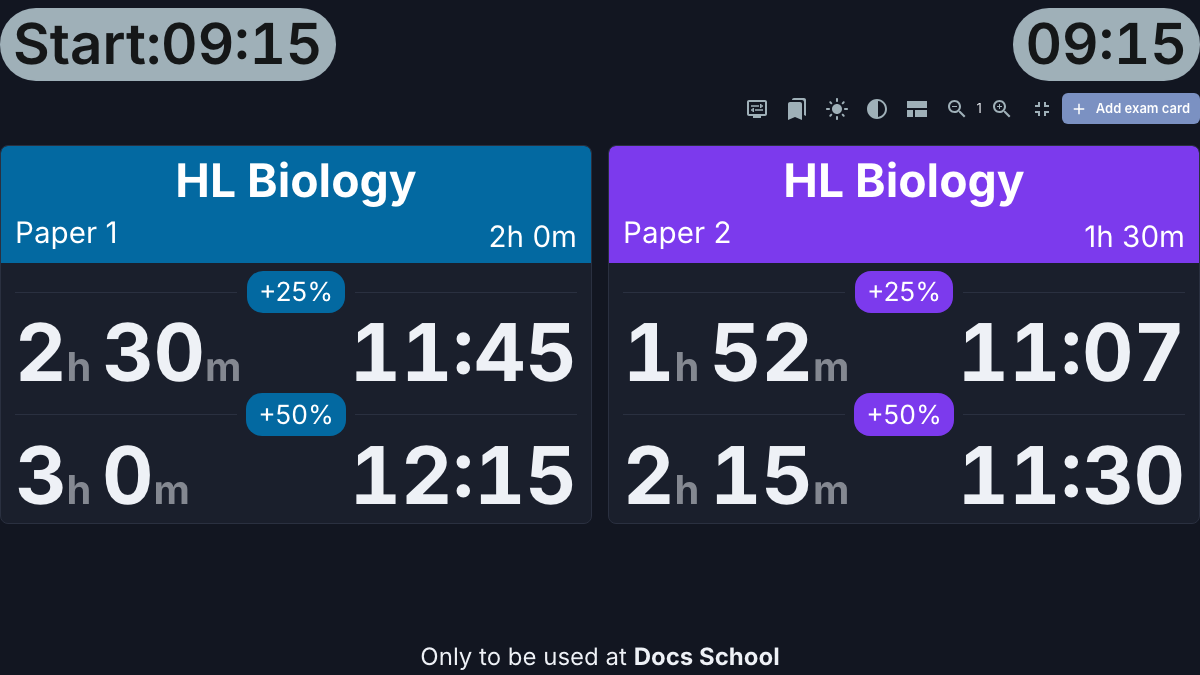
Light and dark themes
Colorful or high-contrast, whichever reads best in the exam hall.
Show only what you need
Hide seconds, clocks or any other element you would rather not show.
Clear in dark mode
How it works
From settings to Display in three steps
- 1
Choose your papers
Search the catalog, or add a blank card and fill it in yourself.
- 2
Set a start time
Durations, extra time and finish times calculated automatically.
- 3
Start the display
Simply press 'Start' to run the display.
Built for the exams team
Save, reuse and share displays
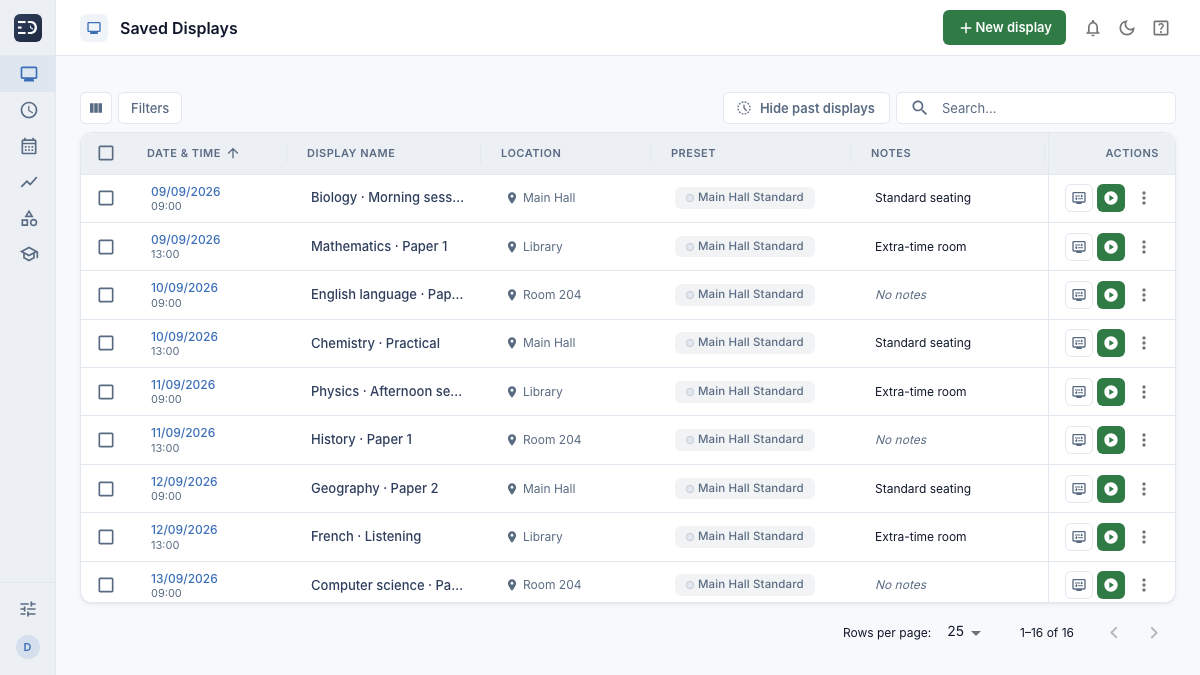
Build a display once and reuse it across all users. Save as many displays as you like in advance and store them ready to use on the day of the exam.
Saved displays
Request a trial of ExamDisplay
Join schools around the world running calmer, more confident exam days.
Legal