Scheduler
From registration to a fully scheduled and planned exam session in a fraction of the time
Import your registration document from IBIS and Scheduler builds your timetable, organizes your exam rooms and invigilators, seats every candidate and prepares all of the paperwork for you.
Available on the All Features plan.
Scheduler at a glance
English narration · Subtitles always on
Everything in one place
Papers, rooms and candidates all on one timetable
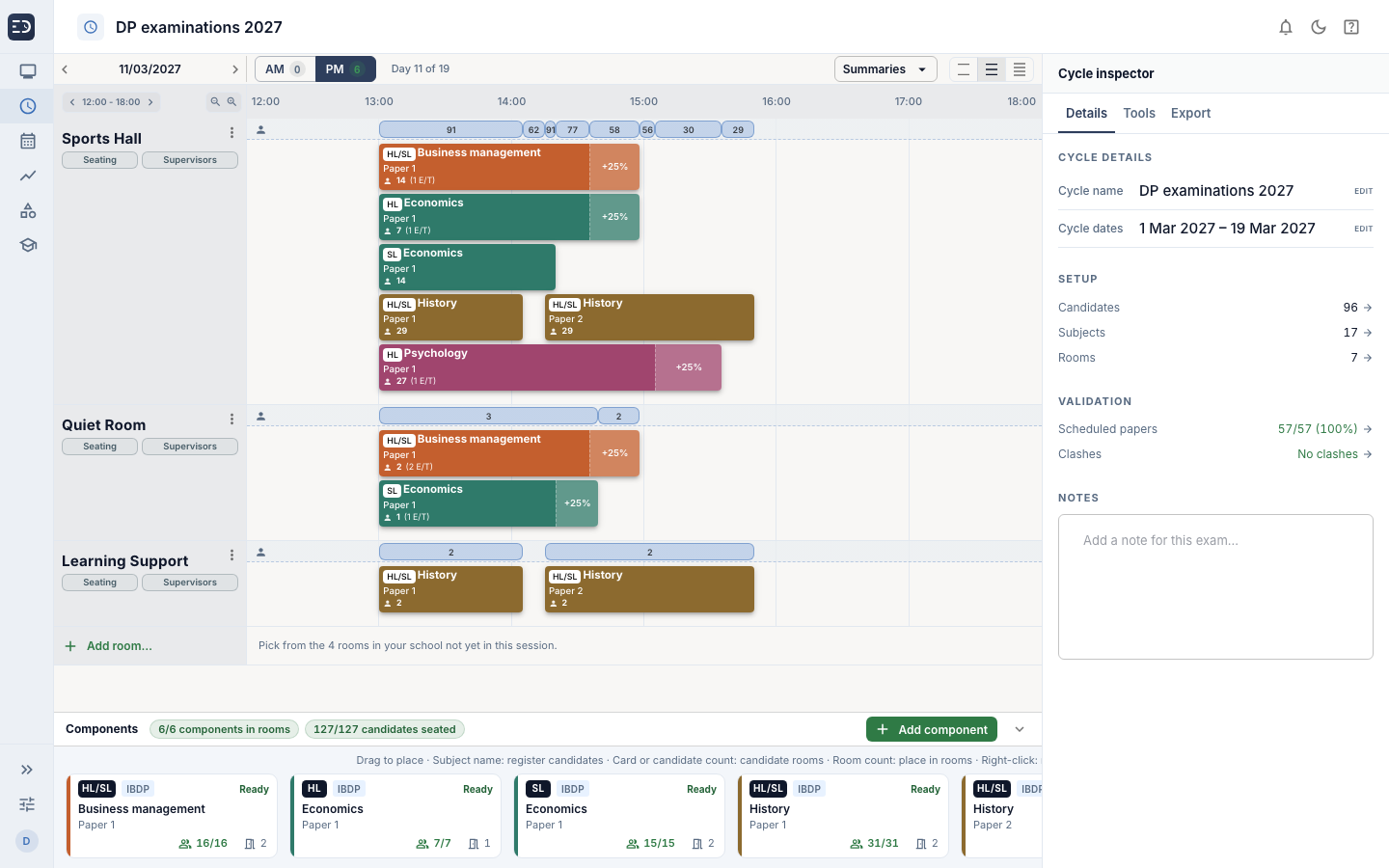
Exam staff can see details of each exam session on one screen: papers and their duration, number of candidates, rooms, invigilators and access arrangements all in one timetable. No need to have multiple spreadsheets and documents to store the details.
Clash detection
Candidate and room clashes are flagged as you build the timetable.
Always know what is left
The cycle inspector shows how many papers are scheduled and whether any clashes remain.
Invigilator cover
Assign invigilators to rooms and see where cover is still needed.
Timetable
Mock exams
No official timetable? Scheduler will write one
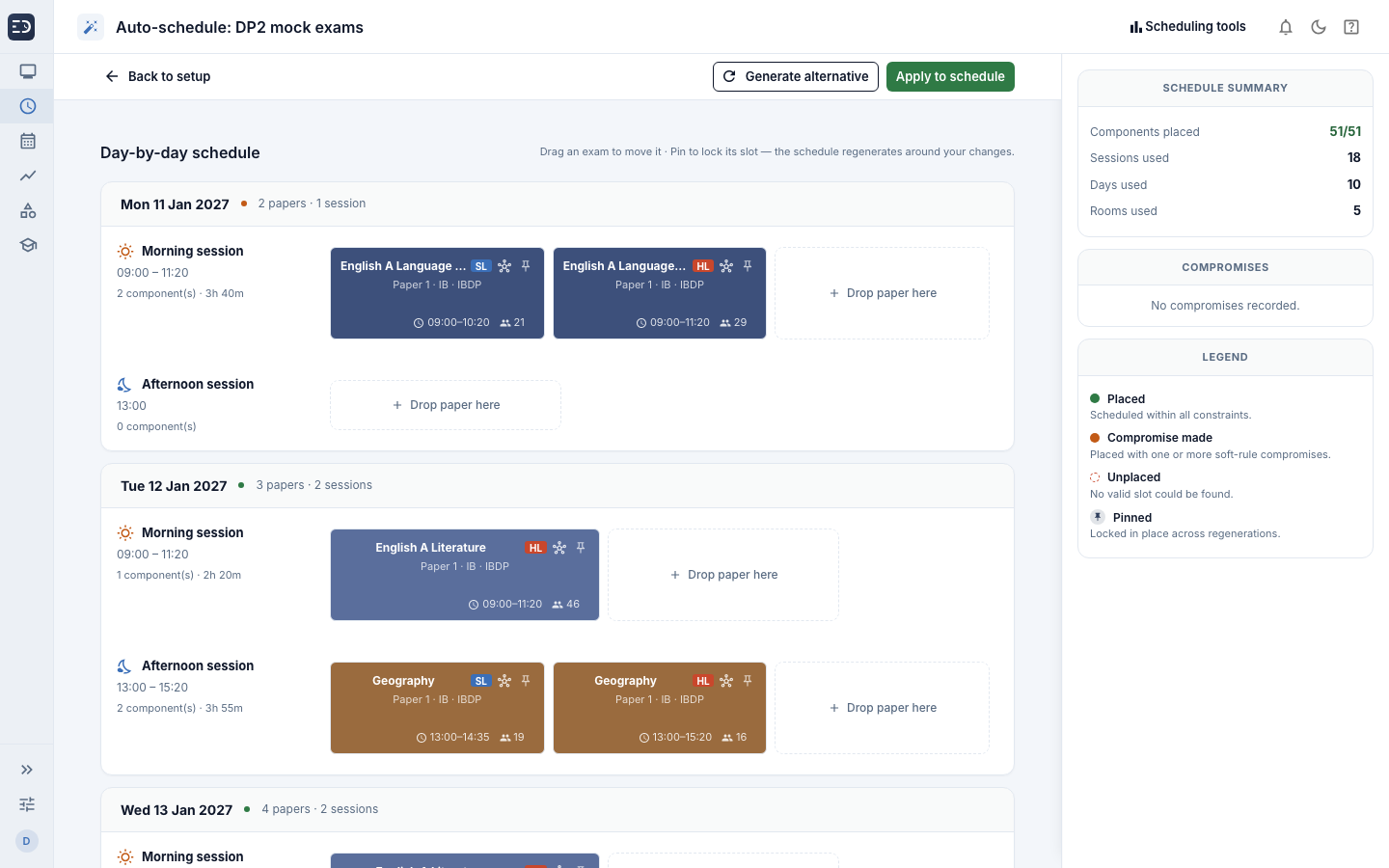
Give the autoscheduler your dates, rooms and rules, and it will draft a timetable that respects them.
Fair on every candidate
Set daily paper limits for candidates and add breaks and rest days.
Access arrangements handled
Candidates with arrangements are placed in your arrangement rooms, with their extra time built in.
You stay in charge
Set papers on specific dates, bundle papers together or keep subjects separate. You set the rules.
Autoscheduler
Automatic seating
Seat a whole exam hall in minutes
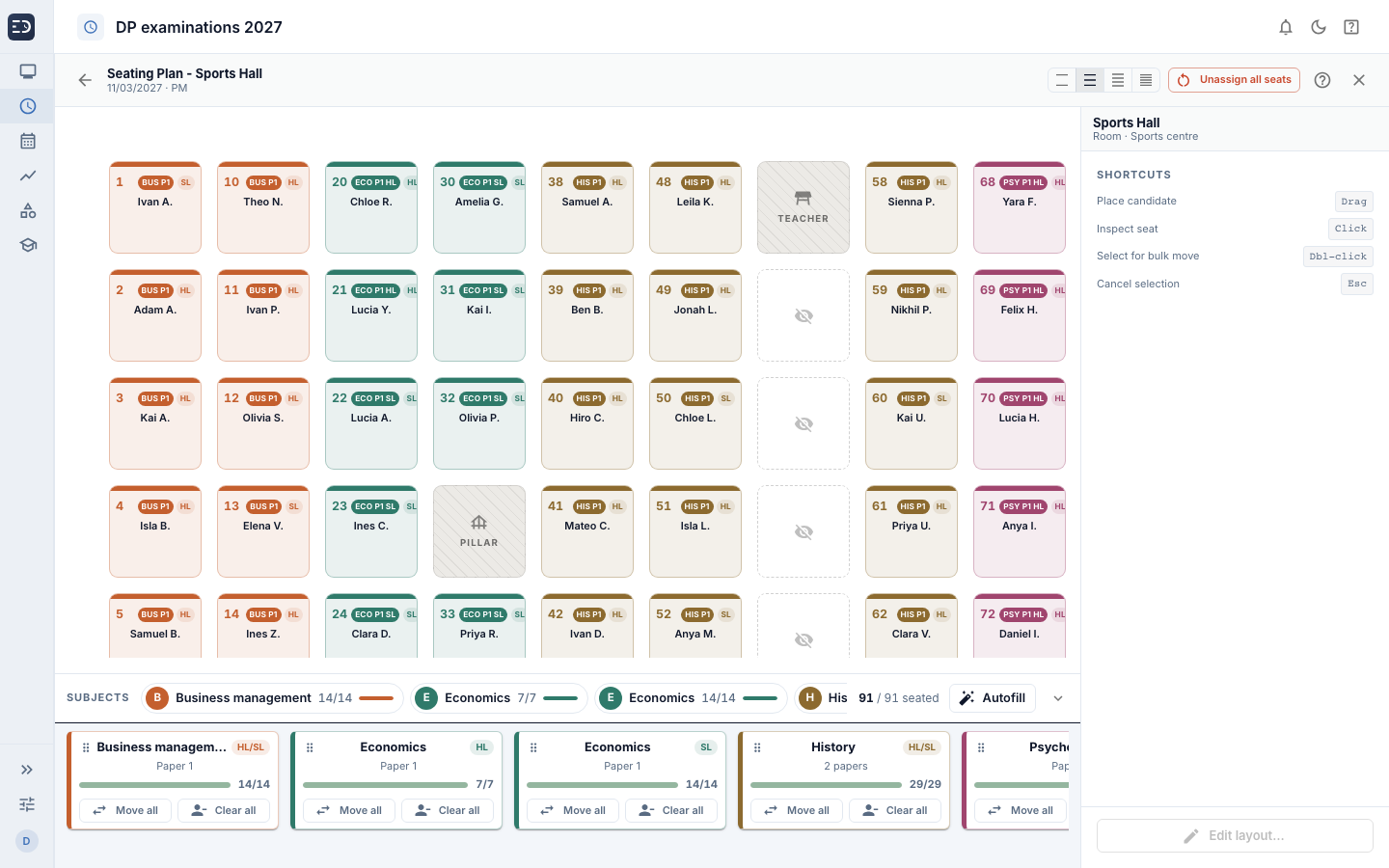
Scheduler will create a seating plan based on your room layout and seating parameters. Multiple papers in one room, special arrangements, pillars, teacher desks and closed seats, everything will be taken into consideration and seating planned accordingly.
Drag candidates to different seats, or swap candidates
Lock a candidate's seat
Seat candidates for several papers in one room, with each paper easy to identify
Record room layouts and unusable seats, including pillars and teacher desks
Seating
The paperwork, done
Exam documents, ready to print
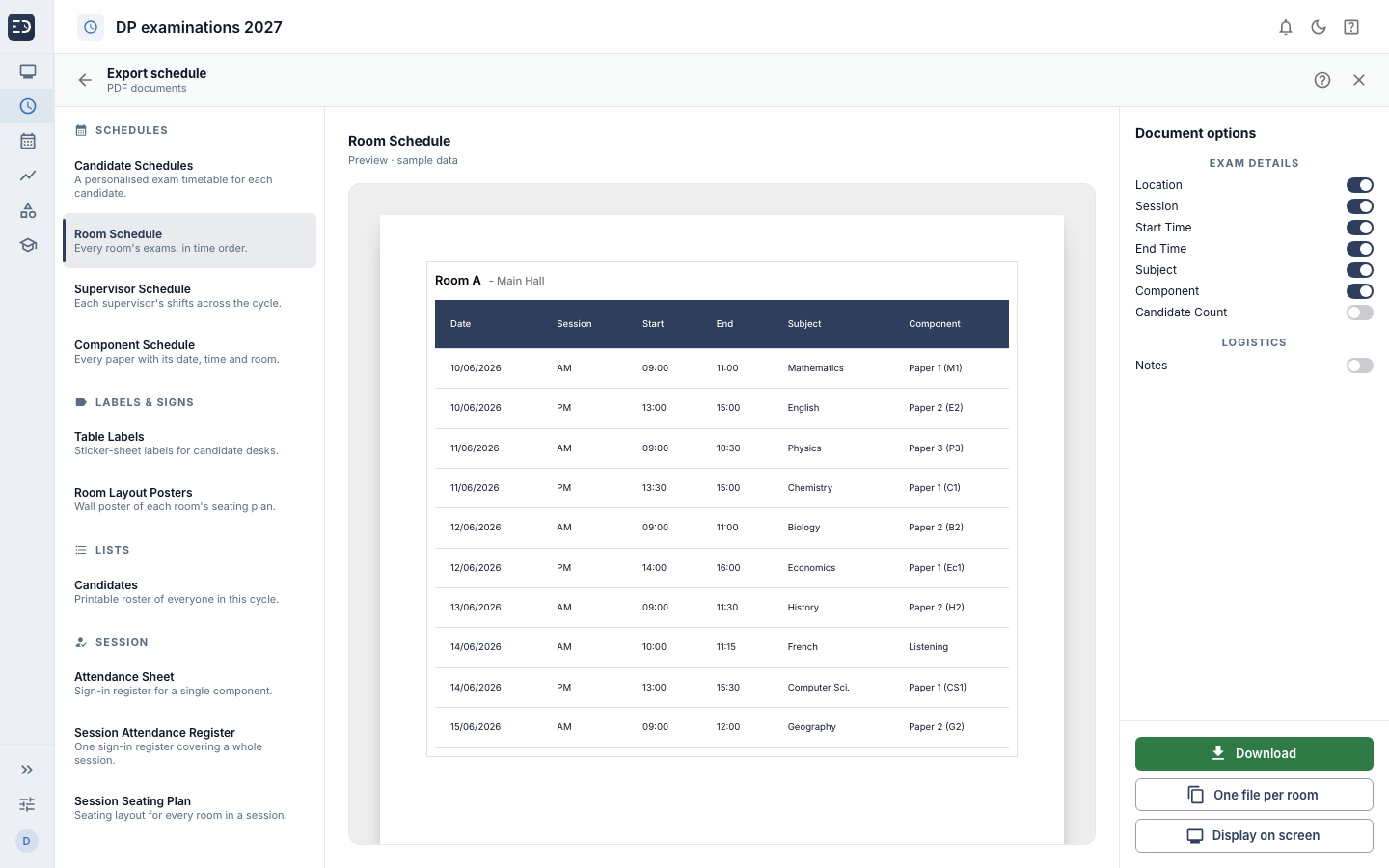
Generate candidate, room, invigilator and component schedules, desk labels, room layout posters, candidate lists, attendance registers and seating plans directly from the timetable. Preview each document, then download it as one file or as individual files.
Paperwork
Straight to the screens
A display for every room, made from the timetable
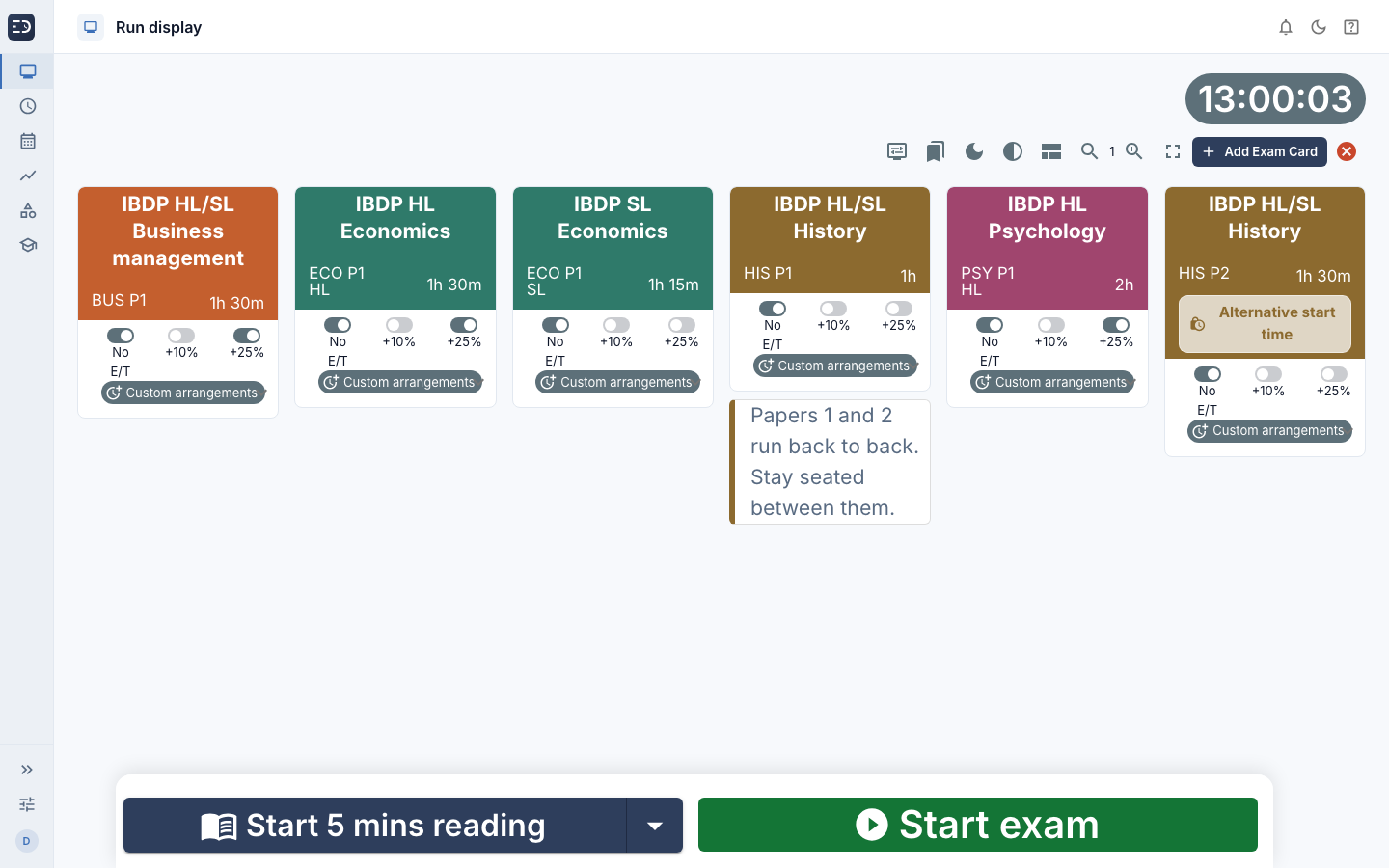
Scheduler does not stop at paperwork. In a couple of clicks it creates a saved display for every room in every session, named and ready to run, so exam day starts with the timetable already on the screens.
Every room, every session
One display per room per session, named by series, date and time.
Timings and extra time
Each paper arrives with its duration and start, and extra time switched on where candidates need it.
Notes come too
Exam notes from the timetable appear on the display, and papers with a later start are marked.
Saved displays
How it works
From IBIS spreadsheet to exam day in three steps
- 1
Import from IBIS
Upload your registration spreadsheet.
- 2
Check the timetable
Scheduler places each paper and flags anything that needs your attention. For mocks, generate the timetable to meet your requirements.
- 3
Seat, print and display
Fine-tune the seating, print what you need and create every room’s display.
Request a trial of ExamDisplay
Try it on your own exam series before you decide.
Legal